
.png)
Description
Download AI Tattoo Ink – AI‑Powered Custom Tattoo Design Tool for Fast, Secure, and Free Design Creation
Introduction & Overview
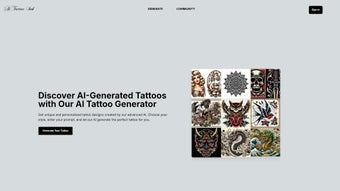
AI Tattoo Ink is a modern, web‑based design platform that leverages artificial intelligence to generate custom tattoo concepts in seconds. The service targets three core user groups: first‑time tattoo seekers looking for inspiration, freelance tattoo artists who need a rapid ideation tool, and full‑service studios that manage large volumes of client requests. Unlike traditional design workflows that rely on multiple sketching sessions, manual revisions, and often costly artist fees, AI Tattoo Ink allows anyone with an internet connection to type a simple prompt—such as “minimalist compass” or “vivid koi fish in watercolor style”—and receive a curated gallery of original, high‑quality designs instantly. The platform’s emphasis on privacy means that all data transmissions are encrypted with TLS 1.3, and no personal information is stored without explicit user consent. In addition to speed, the tool provides a secure environment where users can experiment freely without the fear of data leakage. Whether you are exploring a tiny wrist tattoo or planning a full‑sleeve masterpiece, AI Tattoo Ink delivers a seamless bridge between imagination and ink, turning abstract ideas into concrete visual assets that can be exported in professional formats. This introduction sets the stage for a deeper dive into the features, workflow, system compatibility, and practical considerations that make AI Tattoo Ink a standout solution in the crowded tattoo‑design market.
Features, Benefits & Pros / Cons
- Prompt‑Based Generation – Users input a short description and instantly receive 5‑10 unique tattoo concepts generated by a proprietary GAN model trained on tattoo‑specific artwork.
- Extensive Style Library – Over 30 curated styles, including traditional Japanese, neo‑tribal, watercolor, linework, biomechanical, and more, guide the AI toward the desired aesthetic.
- High‑Resolution Export Options – Vector SVG files for unlimited scaling, raster PNG up to 300 dpi, and optional PDF briefing sheets for premium subscribers.
- Custom Color Palettes – Interactive sliders let users fine‑tune hue, saturation, and contrast to match skin tones or ink preferences.
- Secure Cloud Processing – All AI inference runs on encrypted servers, eliminating the need for local installations and reducing device‑specific performance bottlenecks.
- Bookmark & History Management – Designs are saved automatically to a personal gallery, which can be accessed from any device and shared via secure links.
- Free Tier with Premium Upgrade – Core functionality is free forever; premium plans add SVG export, batch processing, additional style packs, and priority rendering.
The combination of these features creates tangible benefits for both hobbyists and professionals. Hobbyists gain instant access to professional‑grade concepts without needing drawing skills, while studios can accelerate client consultations, reduce back‑and‑forth email exchanges, and keep a digital archive of approved designs. The ability to export vector files directly from the browser is a game‑changer, because it removes the extra step of re‑creating raster sketches in vector software—a process that traditionally consumes valuable time and resources. Moreover, the secure, cloud‑first architecture ensures that even users on older laptops or low‑spec tablets experience fast rendering, as the heavy AI workload is offloaded to powerful remote servers.
Pros
- Instant generation of multiple original tattoo concepts.
- Broad style library accommodates niche artistic preferences.
- No software download; works in any modern browser.
- Vector export enables professional‑grade stencil creation.
- Encrypted cloud processing protects privacy.
- Generous free tier lowers entry barriers.
- User‑friendly UI reduces learning curve for beginners.
Cons
- Requires an active internet connection; offline use is unavailable.
- Advanced hand‑drawn tweaks must be performed in external graphic editors.
- Free version restricts export to PNG only.
- AI may occasionally produce designs that need artistic refinement.
- Premium subscription is required for commercial‑use licensing.
Installation, Usage & Compatibility
Because AI Tattoo Ink is entirely browser‑based, there is no traditional installation process. Users simply navigate to the official website, register an account, and begin creating designs immediately. Below is a comprehensive walkthrough that covers account setup, prompt creation, design refinement, exporting, and system requirements across desktop and mobile environments.
Step‑by‑Step Workflow
- Account Creation & Secure Login – Visit aitattooink.com, click “Sign Up,” verify your email, and enable two‑factor authentication for added security.
- Prompt Input – Click “Create New Design,” type a concise or detailed description, and optionally select a style tag from the dropdown menu. The AI parses natural language, so you can include elements like “geometric rose with negative space” or “vintage compass in black‑and‑gray.”
- Review & Refine – A gallery of 5‑10 designs appears within seconds. Hover to enlarge, then use the “Refine” button to adjust line thickness, shading intensity, or color palette via intuitive sliders. Each refinement is processed instantly, allowing rapid iteration.
- Export Options – Once satisfied, choose “Export.” Free users receive a PNG file; premium users can download SVG, high‑resolution PNG, and a PDF brief that includes style notes and recommended placement tips.
- Gallery Management – Saved designs are stored in a cloud‑backed personal gallery, accessible from any device. Public sharing links can be generated for client review without requiring the recipient to create an account.
System Compatibility
The platform is engineered to work on any device that supports a modern web browser with JavaScript and WebGL. Compatibility details are as follows:
- Desktop Browsers: Google Chrome (latest), Mozilla Firefox (latest), Microsoft Edge (Chromium), Safari (macOS 12+).
- Operating Systems: Windows 10/11, macOS 12 Monterey or later, major Linux distributions with recent kernels.
- Mobile Browsers: Chrome for Android, Safari on iOS 14+, Samsung Internet.
- Hardware Recommendations: Minimum 4 GB RAM, dual‑core CPU, broadband ≥5 Mbps. A GPU supporting WebGL 2.0 enhances rendering speed but is not mandatory.
- Security: All traffic is secured with HTTPS/TLS 1.3. No local files are written, eliminating the risk of background processes or malware.
Users on older hardware still experience smooth performance because the AI model runs on remote servers. The responsive UI automatically adjusts to screen size, providing a consistent experience whether you are designing on a desktop monitor or a smartphone while on the go. If any compatibility issues arise, clearing the browser cache, disabling ad‑blockers for the domain, and ensuring JavaScript is enabled typically resolve them.
Frequently Asked Questions
Is AI Tattoo Ink truly free to use?
Yes. The core features—including prompt‑based generation, PNG export, and unlimited design browsing—are available at no cost. A premium subscription unlocks SVG export, additional style packs, batch processing, and a commercial‑use license.
Can I use the generated designs for commercial projects?
Only premium users receive a commercial‑use license that permits selling the designs or incorporating them into client work. Free‑tier users may use the artwork solely for personal, non‑commercial tattoos.
How does AI Tattoo Ink handle copyrighted or trademarked imagery?
The AI model is trained on publicly available, royalty‑free tattoo artwork and is designed not to replicate protected images. Nonetheless, users are responsible for ensuring that their final designs respect all applicable intellectual‑property laws.
What export formats are supported for premium and free users?
Free users can download high‑resolution PNG files (up to 300 dpi). Premium subscribers can export scalable SVG files, high‑resolution PNG, and a PDF briefing sheet that includes style notes and placement recommendations.
Is my personal data safe when I create designs on AI Tattoo Ink?
Absolutely. All data transmission is encrypted via HTTPS/TLS 1.3. Designs are stored only in your personal gallery and are automatically deleted after 90 days of inactivity unless you download them.
Can I access AI Tattoo Ink on a tablet or smartphone?
Yes. The platform is fully responsive and works on Chrome for Android, Safari on iOS, and other modern mobile browsers. The UI adapts to smaller screens while preserving full functionality, including prompt entry, design refinement, and export.
Conclusion & Call to Action
AI Tattoo Ink delivers a fast, secure, and cost‑effective solution for generating tattoo designs that rival those created by seasoned artists. Its AI‑driven prompt system eliminates the need for sketching expertise, while the extensive style library and high‑resolution export options ensure professional‑grade results. The cloud‑first architecture removes hardware limitations, making the tool accessible on desktops, laptops, tablets, and smartphones alike. Although an internet connection is required and premium features are behind a subscription, the generous free tier provides ample functionality for casual users and a solid testing ground for studios considering an upgrade. If you’re ready to accelerate your tattoo design workflow, explore endless creative possibilities, and obtain export‑ready files in minutes, click the link below to start your journey.
Download AI Tattoo Ink now and experience the future of tattoo design today.
Guides & Tutorials for AI Tattoo Ink
How to install AI Tattoo Ink
- Click the Preview / Download button above.
- Once redirected, accept the terms and click Install.
- Wait for the AI Tattoo Ink download to finish on your device.
How to use AI Tattoo Ink
This software is primarily used for its core features described above. Open the app after installation to explore its capabilities.
User Reviews for AI Tattoo Ink 0
No reviews found




